Arrow Functions in JavaScript:

function add(a, b) {
  return a + b;
}

console.log(add(3,5)) // 8
See the code above? This is a normal small function, yes. In a big project, a number of functions are this small but useful too. Doesn't it become too verbose to repeat this syntax of declaration and calling again and again?
In 2015, ES6 (ECMAScript 6) the second major revision of JavaScript introduced a solution to this problem, known as Arrow (=>) Functions.
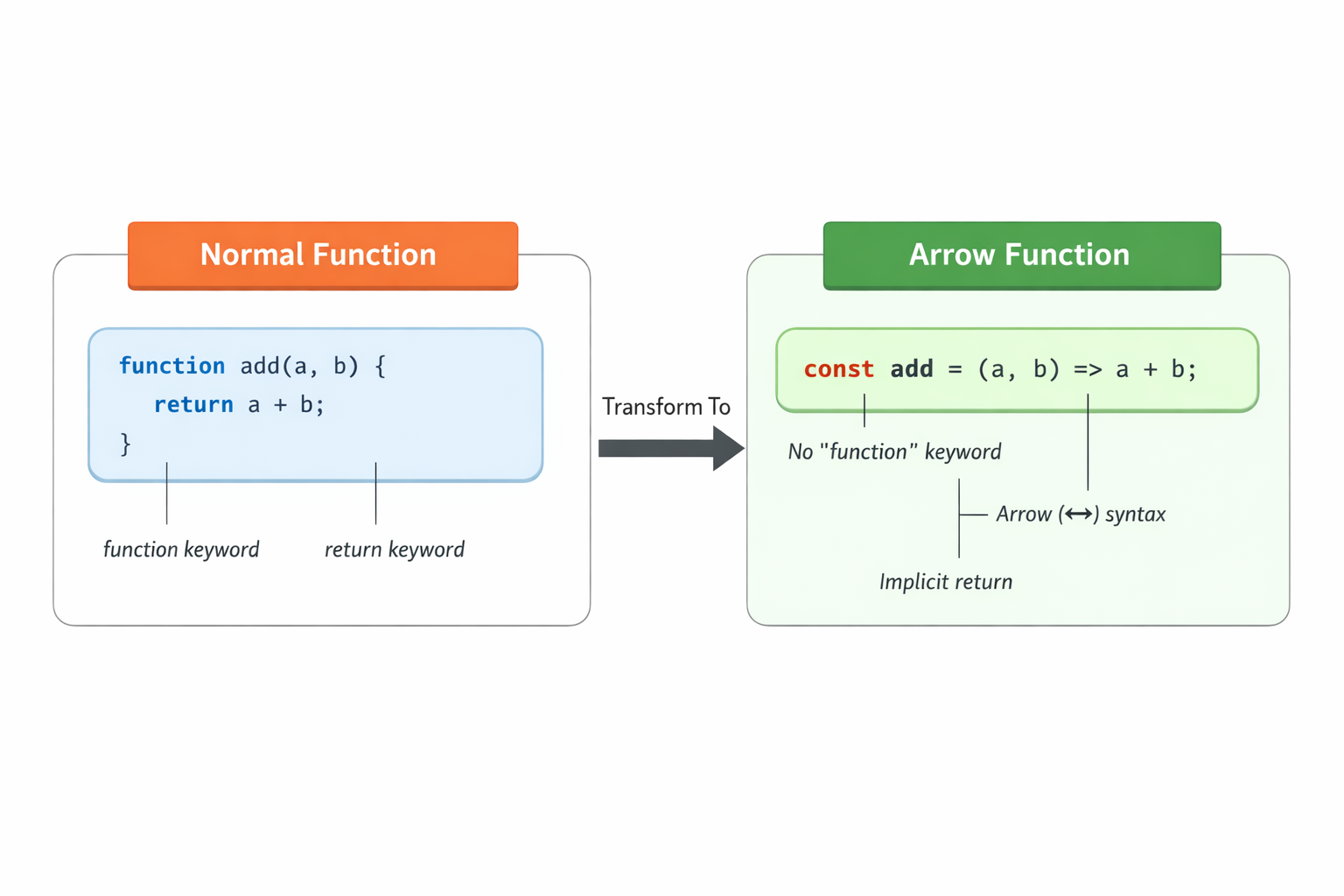
Let’s see the basic syntax of an arrow function and convert the above function.
const add = (a, b) => {
  return a + b;
};

console.log(add(5, 3)); // 8
This is the universal syntax that will always work, but can we make it simpler depending on the number of parameters?
Single parameter
const square_one = (x) => {   //syntax 1
    return x * x;
}
const square_two = x => {   //syntax 2
    return x * x;
}
const square_three = (x) => x*x  //syntax 3
const square_four = x => x*x    //syntax 4

square_one(3)   // 9
square_two(3)   // 9
square_three(3) // 9
square_four(3)  // 9
All will give the same output. For single parameters ( ) is optional.
We'll discuss why we omit return in syntax 3 and 4 soon.
Zero parameters
const greet = () => "Hello World";

console.log(greet());

const greet_two  = () => {
         return "Hello World"
};
Here we must use (). There are no exceptions.
Multiple parameters (two or more)
const multiply = (a, b, c) => a * b * c;

console.log(multiply(2, 3, 4)); // 24

const multiply_two = (a, b, c) => {
       return a * b * c;
    }

console.log(multiply_two(2, 3, 4)); // 24
Again, there are no exceptions here we must use ().
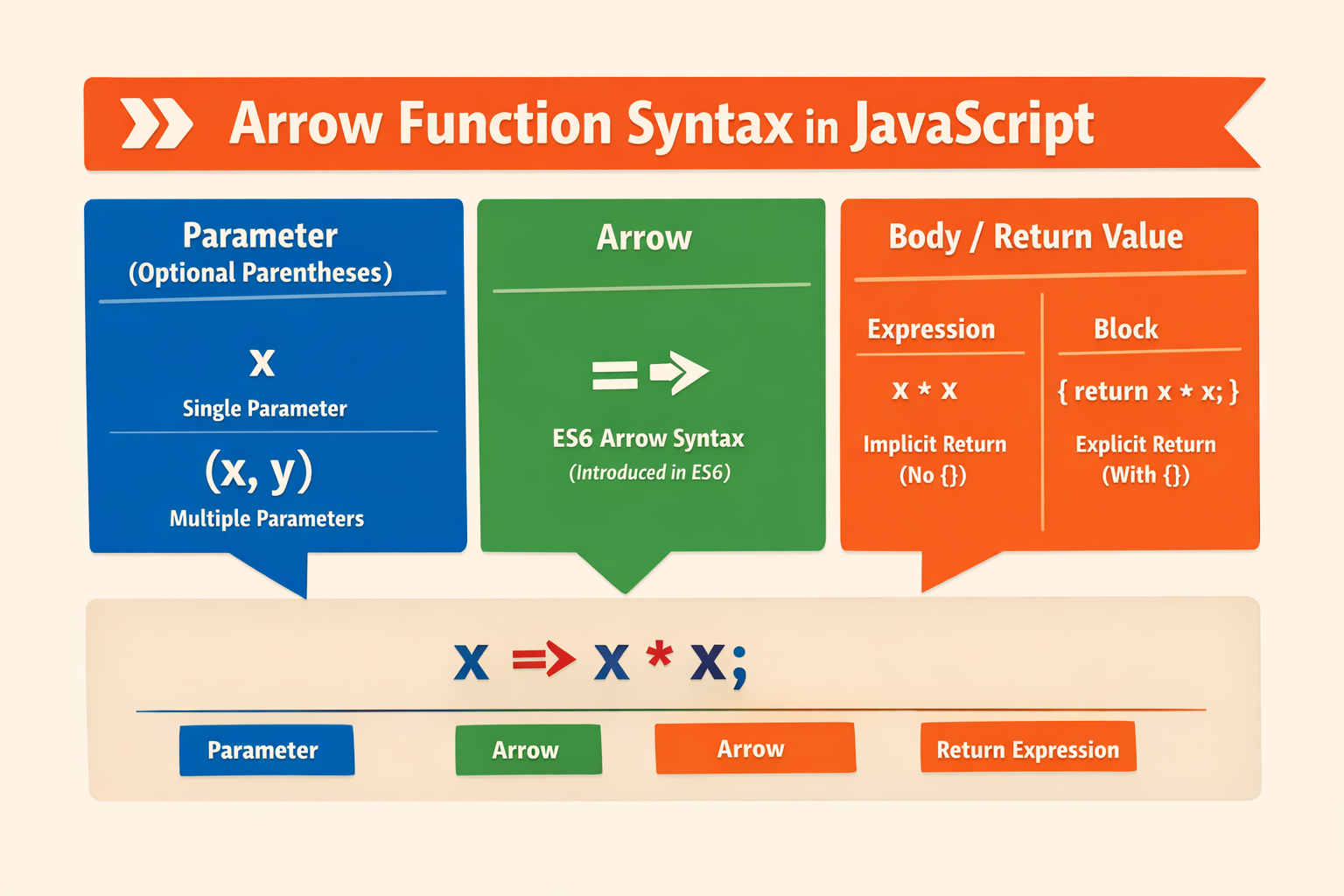
Did you notice anything in above codes? Yes. Wherever I use braces{ }, I used an explicit return keyword as well. Why ?
-Explicit return is needed when we use { }
-But when we don't use { } then there is no need of return keyword , beacuse in this case arrow functions return the expression by default.
Practice Time
Let’s see some normal functions and their arrow function versions too.
function multiply(a, b) {
  return a * b;
}

const multiply = (a, b) => a * b;
function double(n) {
  return n * 2;
}

const double = n => n*2
One thought may arise: if writing functions is this simple with arrow functions, then the old syntax shouldn’t be used anymore. But no, it is still used very prominently for a few reasons.
Arrow functions are good for small functions, but when the function itself is big, we can't compromise readability. If a function is already tens of lines long, we aren't saving much by removing just
function().Arrow functions, unlike normal functions, do not have their own
thisobject. Just keep it as a bonus for now you will explore it at a higher level later. Since this blog is beginner-oriented, we won’t go into much depth here. But if you want, I can surely write a blog about it just comment it down.
Till then, all the best for your JavaScript journey!


